
Learn how to build website pages, organise content, and create layouts that work well on different screen sizes. Our website designing course in Patiala combines practical website skills with AI-assisted learning.
Easywebplans is part of Solutions1313 and is owned by Amrinder Singh. We provide website and technology services along with training. Client projects received through Easywebplans are handled by the Solutions1313 team.
Admission starts with counselling, a short assessment, and a demo class. You can discuss what you want to learn or build, understand the course subjects, and see how the training works before deciding whether to join.
Book Website Designing Counselling | Request a Demo
Learn with a Website Services Business
Easywebplans was started after Solutions1313 and operates within the same business. It has its own offices, while project work is connected with the Solutions1313 team.
This gives the training a practical business context. Real website work involves understanding requirements, organising information, creating pages, testing them, and making changes when needed.
Our goal is to help students become comfortable with these steps. Choosing a design is only the beginning. You should also understand how the page works so you can update it when the content, layout, or requirements change.
We teach both manual website skills and AI-assisted methods because you should understand and take responsibility for the final work. During counselling, tell us what you’re looking for — whether you’re starting from scratch, learning to manage your own business website, or preparing for a website-designing role.
Website Designing Course Syllabus
The course brings together visual planning, page building and testing. The main subjects below are grouped around the work involved in creating a website.
| Learning area | What the learning focuses on |
| Website planning | Understand the requirement, identify the necessary pages and organise the information before starting the design. |
| HTML | Structure headings, text, links, images and forms so that the page content has a clear order. |
| CSS | Work with typography, colours, spacing and layouts, including arrangements for different screen sizes. |
| JavaScript foundations | Understand basic interactions and how scripts affect what happens on a page. |
| Images and visual assets | Prepare images for their purpose, review cropping and keep the page’s visual treatment consistent. |
| WordPress | Work with pages, themes, navigation and content editing, alongside the underlying website concepts. |
| Domains and hosting | Understand the role of a domain, hosting and publishing in making a website available. |
| Testing and corrections | Check page behaviour, links, forms and layouts before treating the work as complete. |
HTML, CSS and JavaScript form core parts of front-end learning. Understanding them helps you work with the structure, presentation and behaviour of a page rather than relying only on a visual editor.
The published Easywebplans course already includes these core website subjects, WordPress, responsive design and testing. The refreshed outline keeps the emphasis on usable skills rather than old software-version names.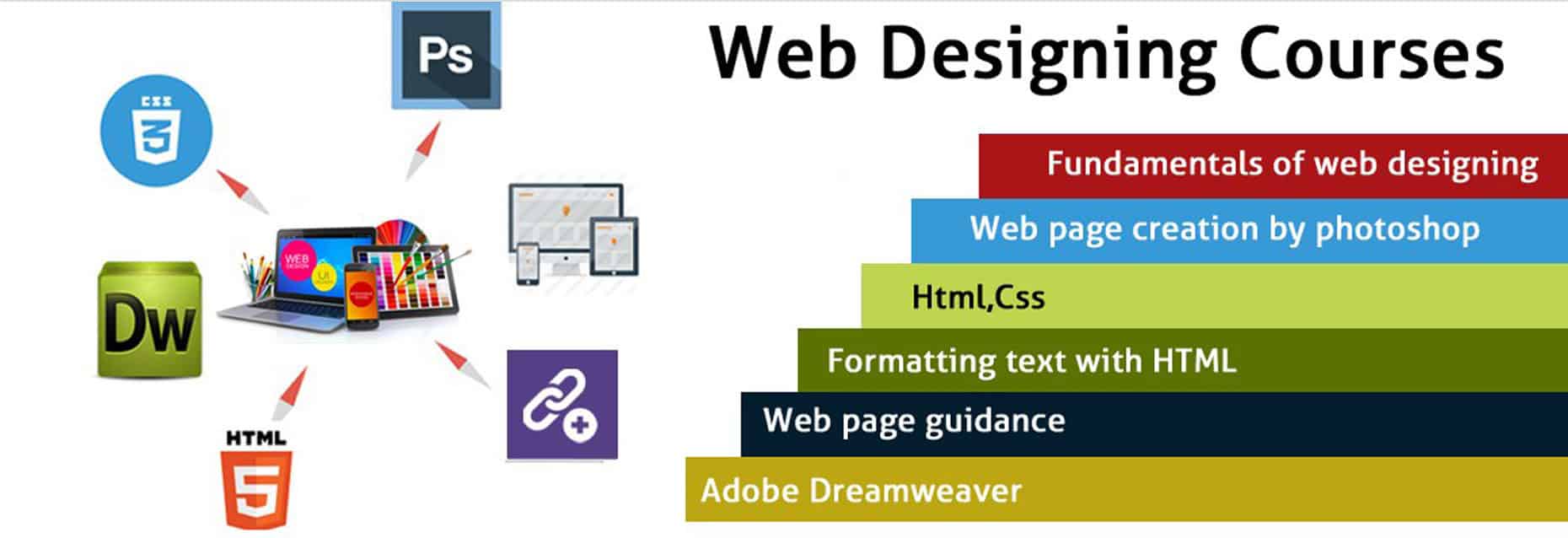
Responsive Design and WordPress
Designing for different screens
A good website should still be easy to use when the screen size changes. Menus, text, images, and forms should work properly on smaller screens and when visitors zoom in.
Good design also means using easy-to-read text, clear contrast, properly labelled form fields, and buttons that are easy to identify. Accessibility guidelines from the W3C cover these areas as well as designing for different screen sizes.
When checking your website, ask yourself a few simple questions: Can visitors quickly find the information they need? Is it clear what they should do next? Does the layout still look and work properly when real content is added?
These simple checks can help you create websites that are easier for people to understand and use.
Working with WordPress
WordPress training covers creating and editing pages, using themes, and managing website content. You’ll also learn how to work with menus, headers, footers, and reusable design elements.
The goal is to understand what you are changing and where that change will appear. For example, editing one page is different from changing a shared header or a style that affects the entire website.
During the demo, ask about the WordPress tools used in your batch and how WordPress learning is connected with HTML and CSS. This will help you understand how the different skills work together when building a website.
Manual Skills and AI-Assisted Website Work
AI is an important part of EasyWebPlans’ training process. However, we encourage our students to use AI tools for help, while also understanding the work those tools produce.
In website designing, this can include using AI for layout ideas, code suggestions, website content, and design support. But students should always check the result in the browser and understand what each change does before using it.
The same applies to website text and images. Content should be accurate and relevant to the business, and the design should match the purpose of the page.
Our goal is not to make students depend on AI for every problem. You should be able to understand and explain your own work and know how to investigate and fix basic layout or styling issues when something doesn’t work.
The approach is simple: use AI when it helps, learn the skills behind the work, and always review the final website yourself.
Practical Work and Career Preparation
Practical work gives you something real to show and discuss. As you learn, save the websites and pages you create and keep the record of changes you make.
A good portfolio should clearly explain what you built? Why did you build it?, and what your role was? Show your page design on different screen sizes, where required. And be very honest about the work you did. Whether you designed the layout, built the website, customised a theme, or worked on one part of a larger project. Never present a classroom assignment as a paid client project in your portfolio. Always add information that is accurate and you can confidently explain the work you have done.
At EasyWebPlans, we provide live project training and further internal job opportunities through Solutions1313. The job role, salary, and branch are decided at the time of hiring. Completing the course or paying the fee does not guarantee a fixed salary or automatic employment.
If you’re pursuing the course to learn to manage your own business or family business website, we’ll focus more on the pages, updates, and maintenance skills you actually require during your training period.
Course Fees, Duration and Joining Process
At EasyWebPlans, We offer two different web designing programmes for students. These are not the same course stretched out. They’re built for different goals.
| Programme & Duration | Fee | What it’s built for |
| Foundation Website Designing Course — 3 months | ₹25,000 | Learn how a website is actually built – layout, structure, and responsive design. You’ll also learn the basics of coding and design tools, including both traditional and AI-assisted tools, so you can create a clean, working website on your own. |
| Advanced Website Designing Course — 6 months, with practical training | ₹35,000 | The course covers everything in Foundation course plus practical training for building real client-style projects. So, you’ll finish the course having actually built a site instead of only practising on classroom exercises. |
If you’re choosing between the two, the honest answer is: It depends on what you want to achieve. If you just want to get the basic understanding of how the websites are created, Foundation course is the right fit for you.
Our Advanced course is a better choice for those who want to build websites and work on real projects within deadlines during their training phase.
At the time of counselling, we’ll discuss your goals, current knowledge about the subject, and what you want to learn, to recommend the right programme for you.
Our joining process follows four stages:
Counselling → Short Assessment → Demo Class → Admission
We begin with free counselling. It helps us understand the purpose of pursuing the course. After the counselling, we conduct a short assessment which helps us find out how much you already know about the concept and from where to start.
Once we’re done with the assessment, we organise a free demo class for you. The class gives you an opportunity to see how the subject is taught.
We don’t ask every visitor to enrol for the course. If we believe that the course is not the right fit for you, we tell that to you clearly at the time of counselling.
If you’ve already tried building something, do bring it with you, even if it’s a simple webpage. It will help us understand where to start from.
Get Course Details | Arrange Your Demo
Frequently Asked Questions Website Designing Course in Patiala
Can I enquire without previous coding experience?
Yes. Tell us your present computer skills during the counselling. We’ll use the assessment and demo to understand your starting level and help you decide whether the course is right for you.
Does the course include HTML, CSS, and WordPress?
Yes. Our website designing course covers HTML, CSS, and WordPress in its syllabus. Before joining the course, do ask about the latest syllabus and the time allotted to each module, so that you know in advance what you’ll be learning.
Is website designing the same as full-stack development?
No. Website designing and front-end development mainly focuses on how a website looks, feels, and works for visitors. It only deals with the part users see and interact with. Fill-stack development goes beyond this. It involved both front-end and back-end development including servers, databases, APIs, and other technical systems. So, this course teaches you website design and front-end skills, not every area of software development.
Should I learn coding when WordPress editors are available?
Yes. Learning some coding is still useful. Basic HTML and CSS can help you understand and adjust the structure and appearance of pages beyond what the editor offers. Although WordPress editors make it easy to build and edit websites, having WordPress skills with basic coding knowledge can make you work more effectively while building websites.
Can I learn for my own business website?
Yes. At the time of counselling, tell us about the requirements of your business and which tasks you want to manage yourself. We can then focus your learning process around those specific requirements.
Will joining the course give me an experience letter?
The course is different from employment. You get an experience letter after you finish your employment tenure with a company. It tells about your role and the period you actually worked in the company. After the completion of the course, we provide you with a website designing certificate. You can talk about any course-completion document, practical training and employment opportunity as a separate matter before admission.
Visit Our Patiala or Mohali Office
We’ll always start by discussing what you want to learn and the kind of website work that interests you.
Easywebplans — Patiala
#44, B.N. Khalsa School Complex
Sirhind Road, Patiala
Punjab — 147001
Easywebplans — Mohali
2nd Floor, Sector 82, Airport Road
Mohali, Punjab — 160055
The Easywebplans office is on the floor below Solutions1313.
Course enquiries: +91 92160 41313
Additional contact: 92167 51313
To learn how website content and structure connect with search visibility, explore our SEO Course in Patiala.
Book a Demo Class | Speak to the Training Team



 We will contact you asap!